schenkerclient/sendung-empfaenger
01
Sendung, Empfänger
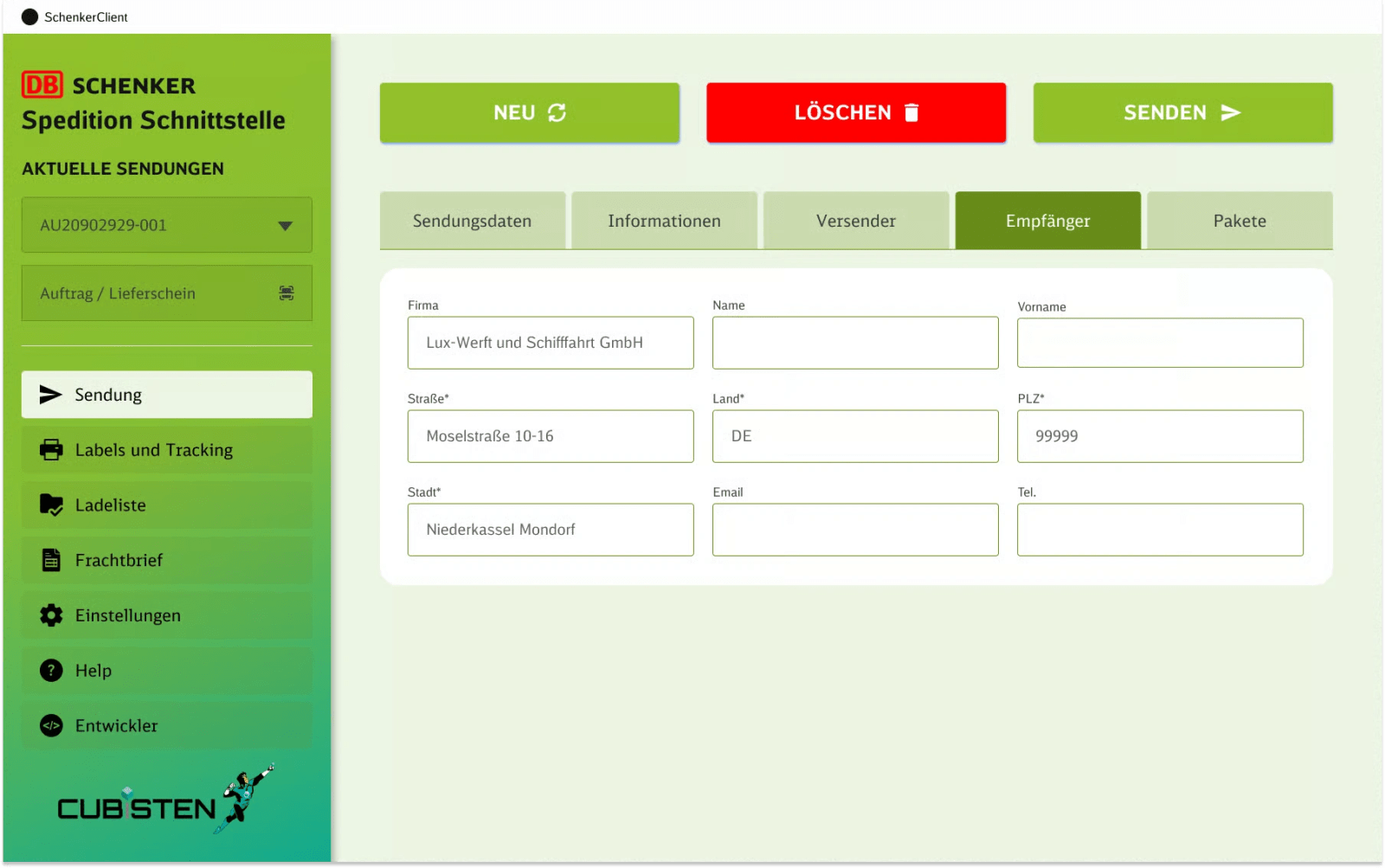
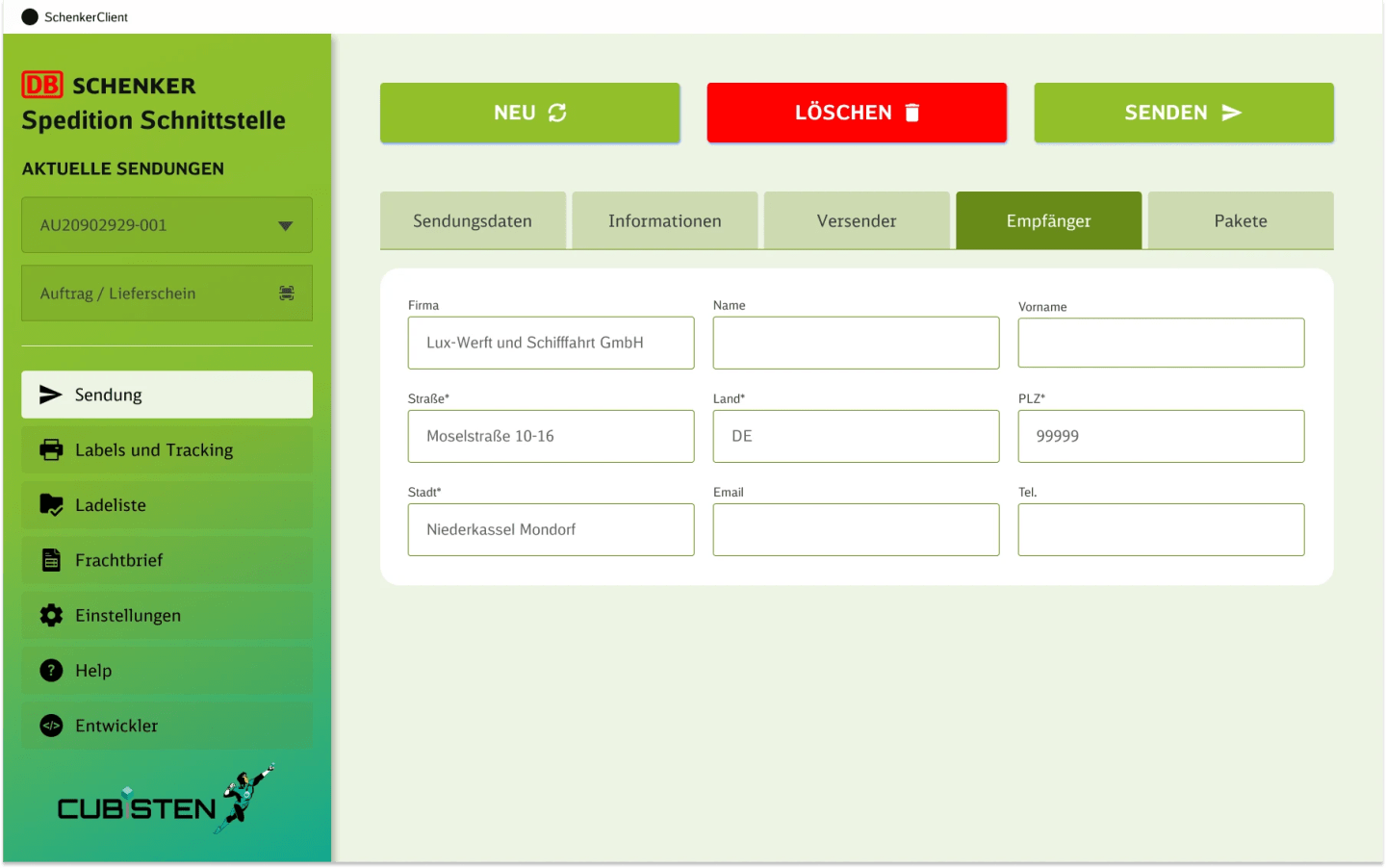
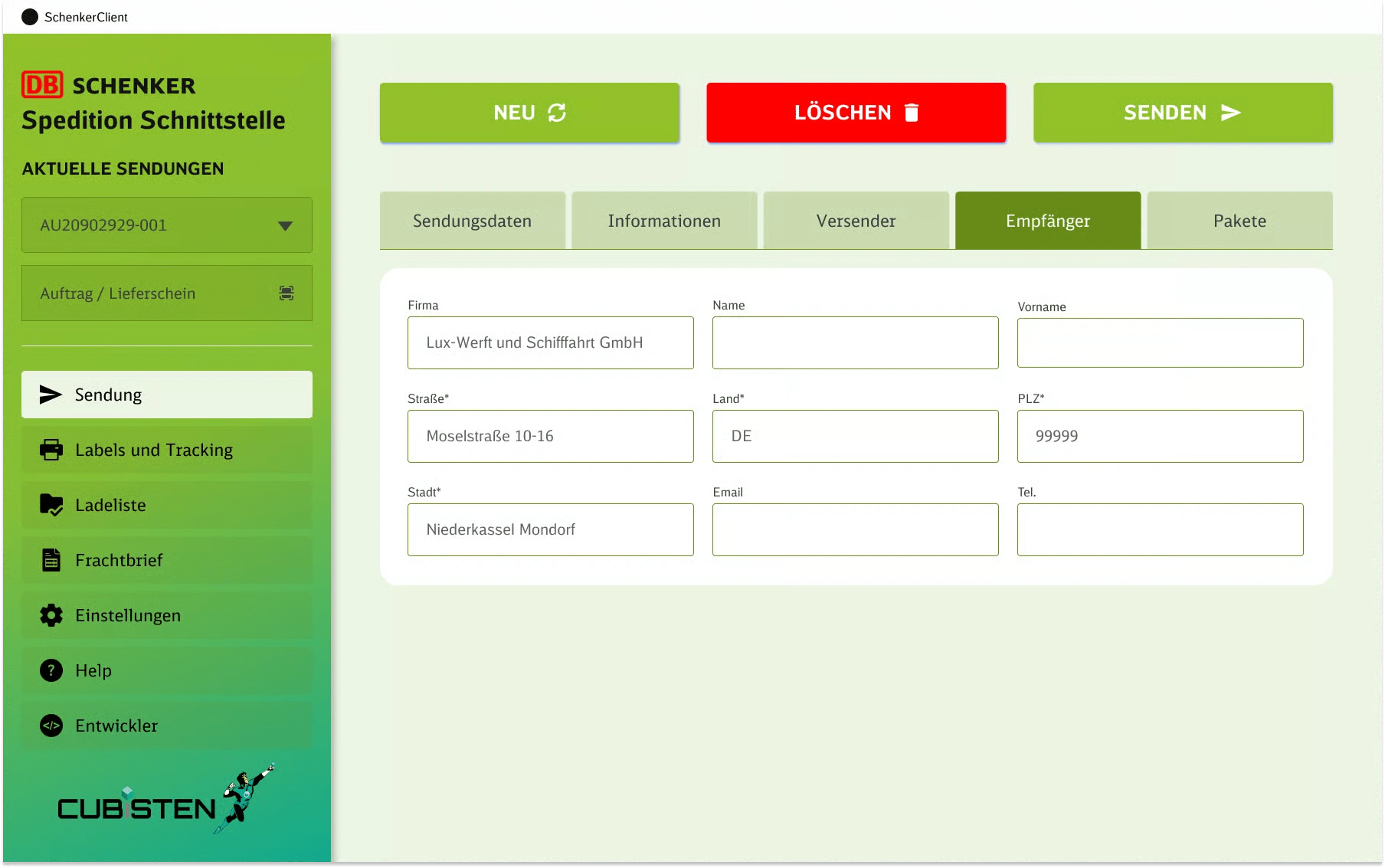
Receiver data entry with structured form fields for address, contact info, and shipment details
Form Design · Data Entry · Address Fields
Case study Enterprise UX Desktop
Simplifying a complex shipping workflow, designing a structured logistics interface for shipment creation, document handling, and operational efficiency.
Typical errors: NetSuite, How to prevent shipping errors. The client's own error figures were not measured in this project.
What if enterprise logistics software could feel intuitive, not like a spreadsheet with buttons?
Schenker's internal tools drowned operators in form complexity, scattered workflows, and inconsistent UI patterns. The tool was slow to learn and easy to get wrong, and in shipping the usual slips are costly: a mistyped address or postcode, a wrong weight or size, an incomplete label or waybill.
We unified shipment creation, label management, and settings into one coherent design language, progressive disclosure over cognitive overload.
Desktop-first enterprise platform. Streamlined multi-step forms. Contextual help system. One design system for the entire logistics workflow.
01Project overview
SCHENKER is a desktop shipping management platform built for operational logistics tasks. The system brings together shipment creation, sender and receiver data, package setup, labels and tracking, packing lists, waybills, settings, and technical tools inside one workflow.
The goal was to make this complexity feel clear, structured, and manageable in daily use, a product built for real operations, not just presentation.
Enterprise logistics systems become difficult to use because they combine many repetitive, detail-heavy tasks in one place.
A clear, modular interface with strong workflow thinking, structured form design, and consistency across complex modules.
Friction → Flow
Break long flows into stages
Cognitive load down ~60%
Cluster fields by semantic intent
Scannable forms · fewer errors
Document workflows in dense tables
Bulk operations enabled
Operational vs technical zones
Right user · right tools
03Product structure
04Shipment flow
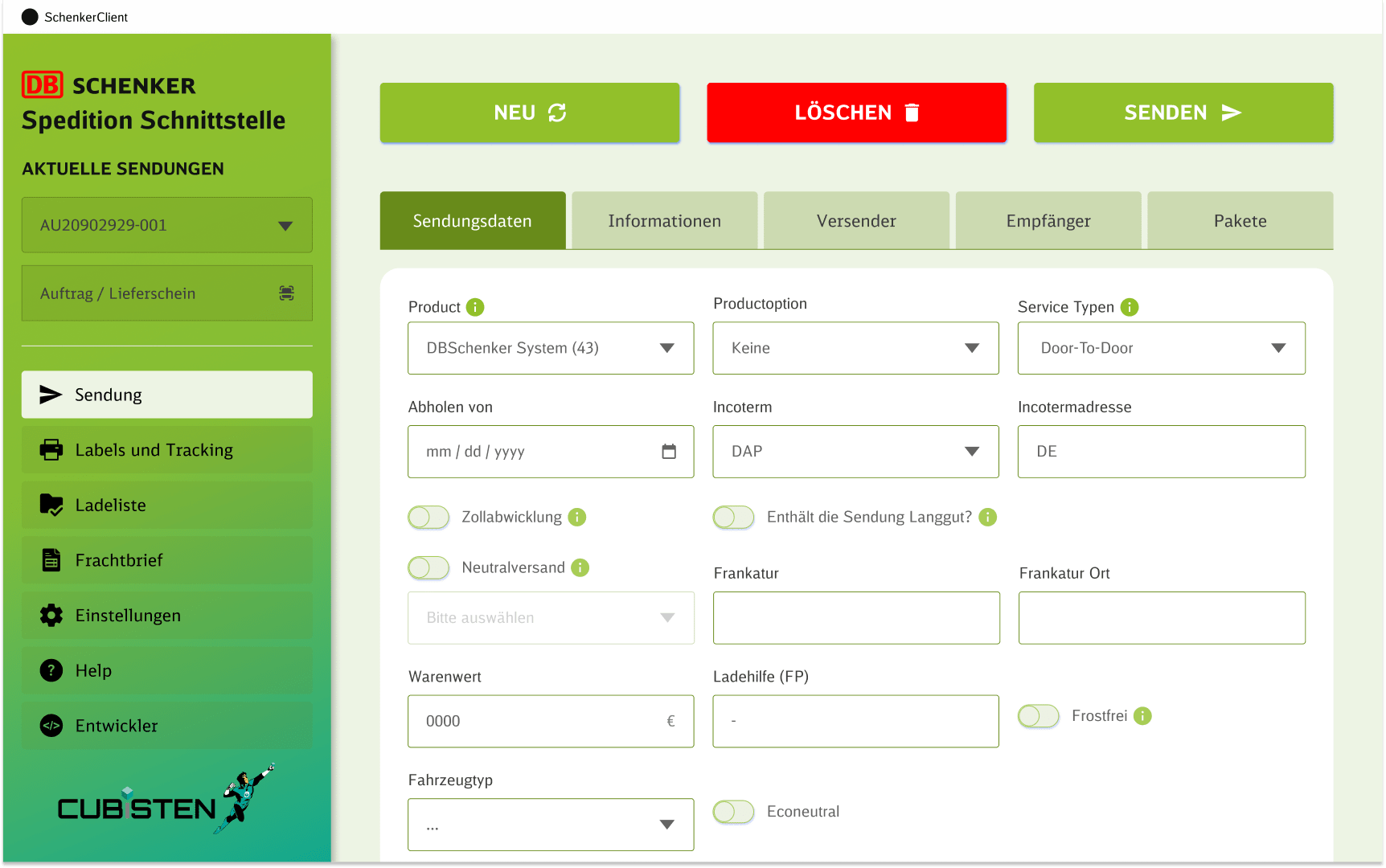
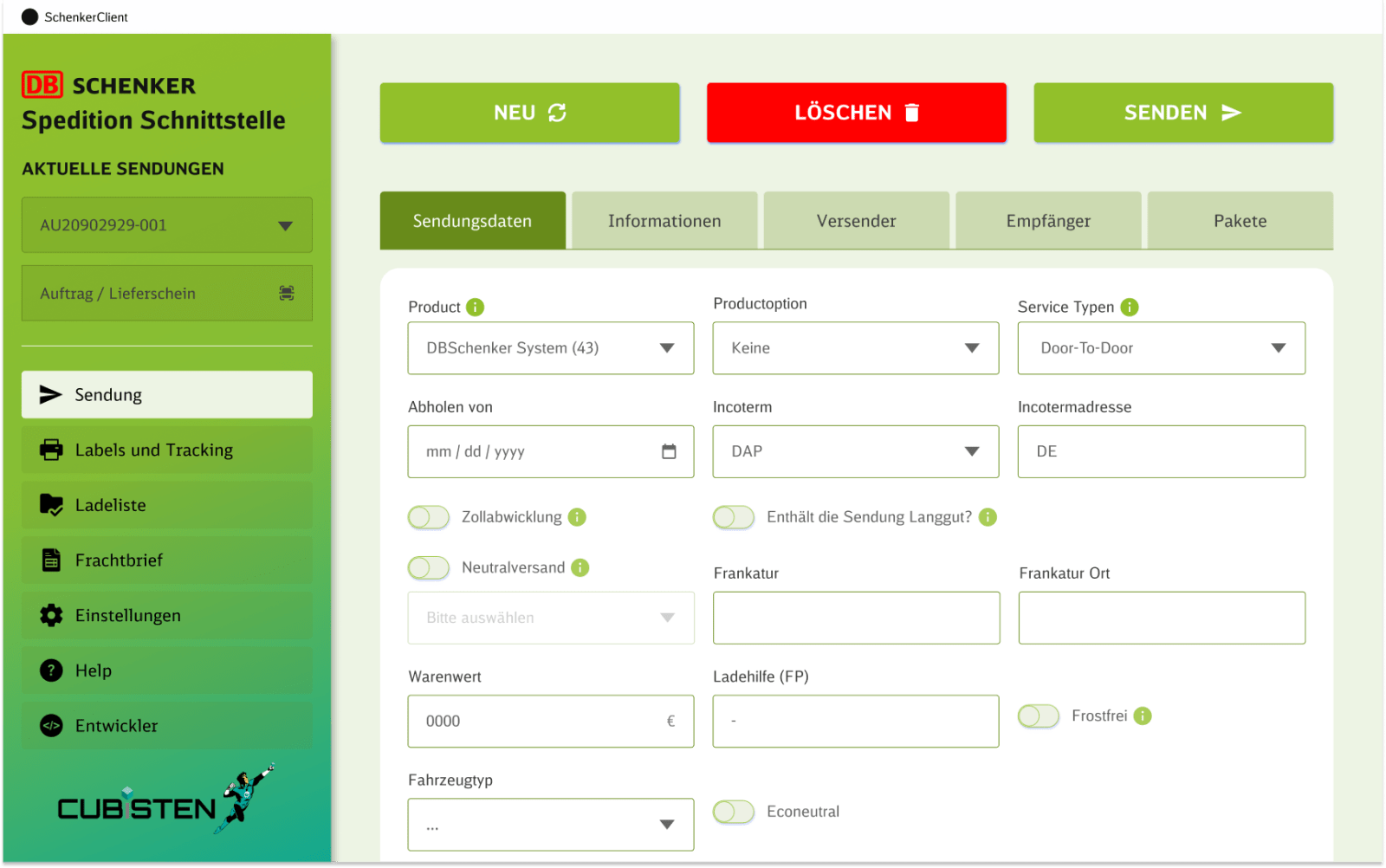
Instead of placing everything on one screen, the flow is divided into clear steps that reduce cognitive load and make complex data entry easier to complete.
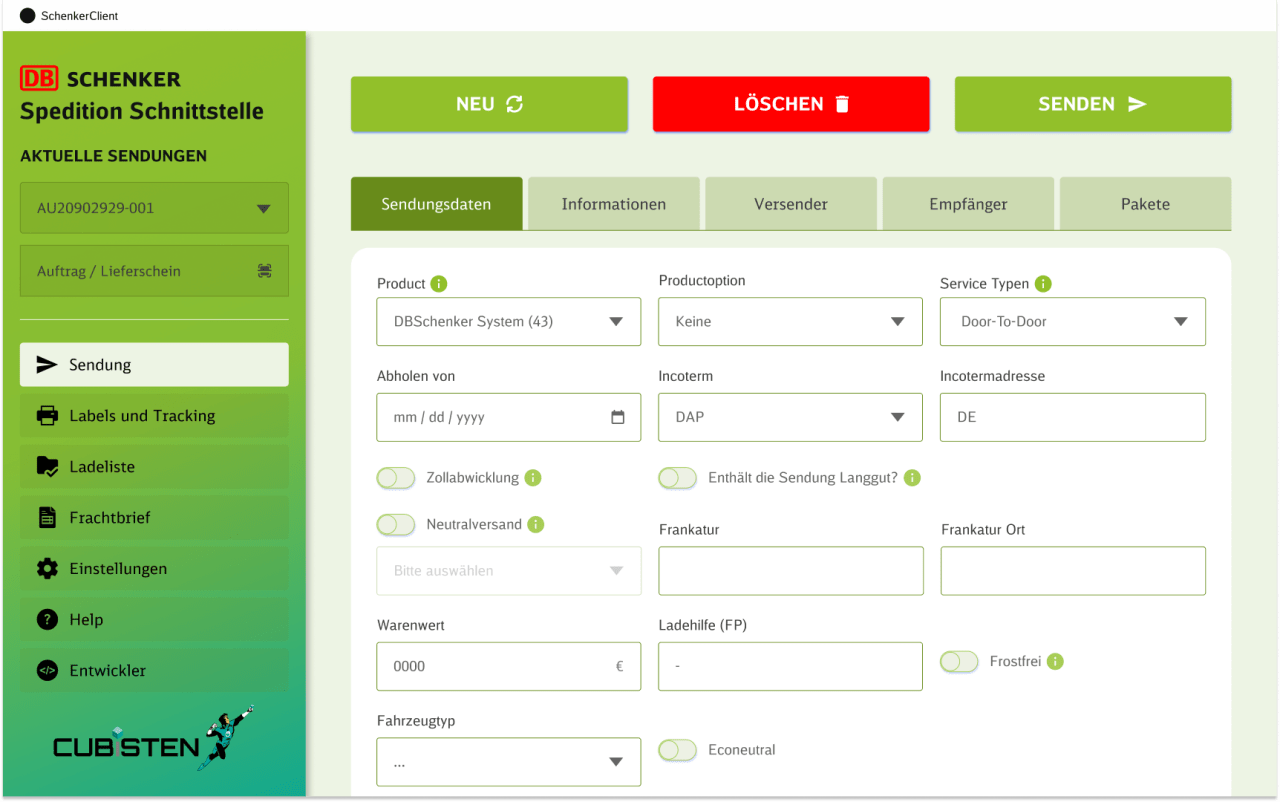
The starting point: delivery options, notification toggles (SMS, email, driver notifications), and transport remarks.
Fix Day Zustellung · Zustell-Avis · Fahreravis
Sender and receiver each have their own focused step, company, address, email, and phone fields separated for clarity and fewer mistakes.
Firma · Address fields · Contact info
Package details as a separate operational layer, dimensions, quantity, weight, volume, and packaging type without mixing with contact data.
Dimensions · Gewicht/Volumen · Palette hinzufugen
05Key screens
From shipment data to technical settings, each screen follows the same design language with consistent spacing, layout, and interaction patterns.
Receiver data entry with structured form fields for address, contact info, and shipment details
Form Design · Data Entry · Address Fields
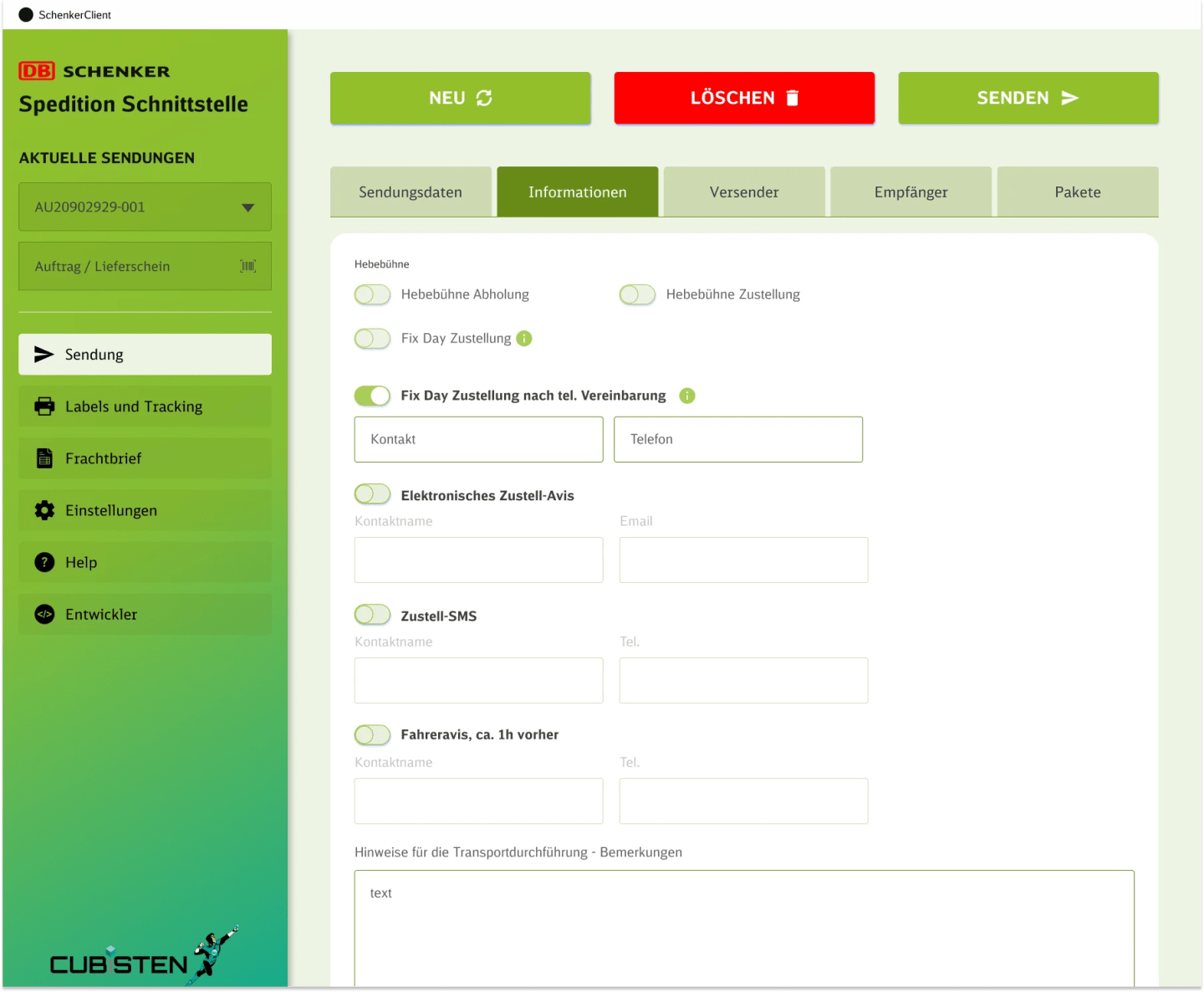
Shipment settings with delivery options, notification toggles, and transport notes
Delivery Options · Notifications · Transport
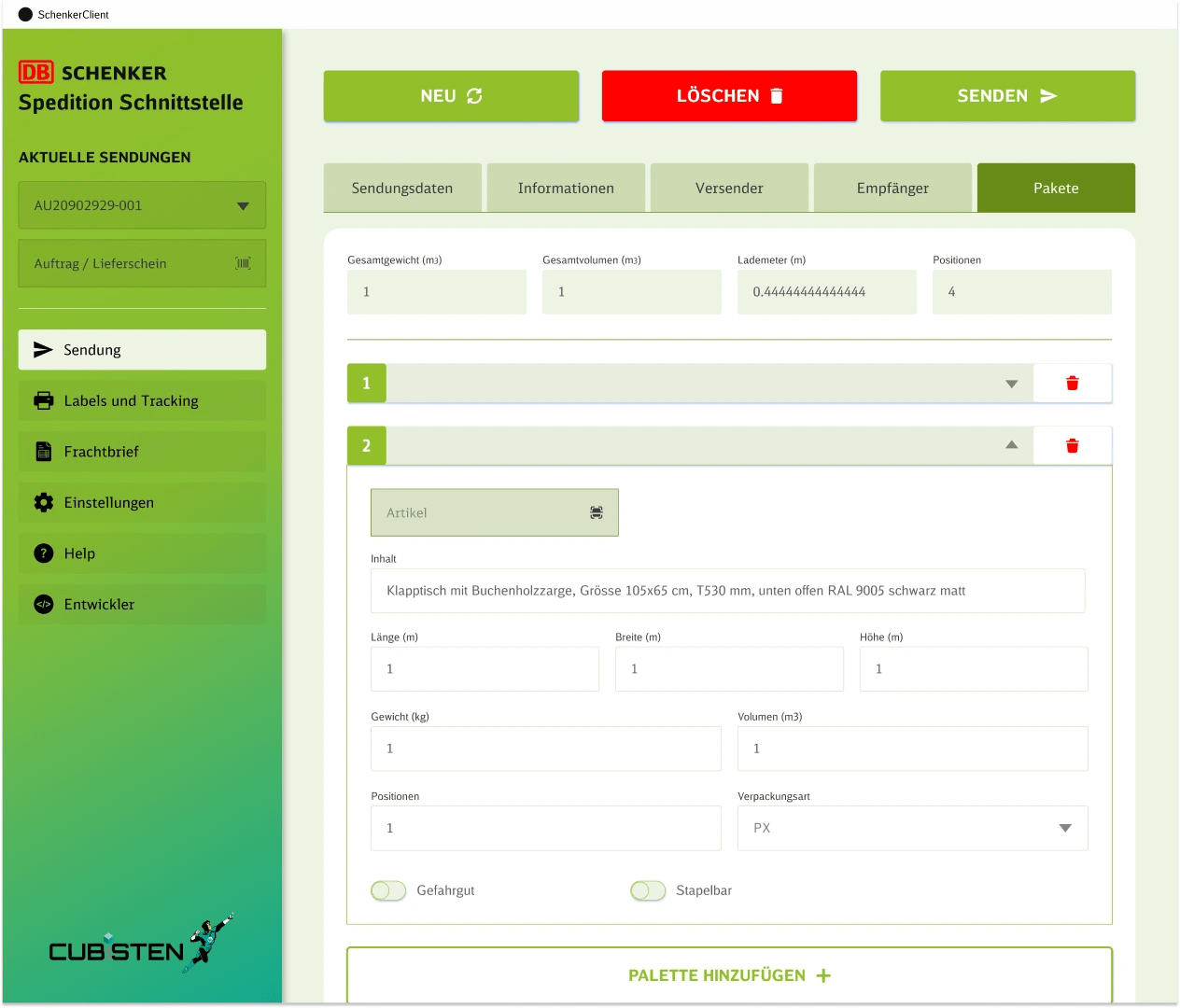
Package management with dimensions, weight, volume, and pallet configuration
Dimensions · Weight · Pallet Config
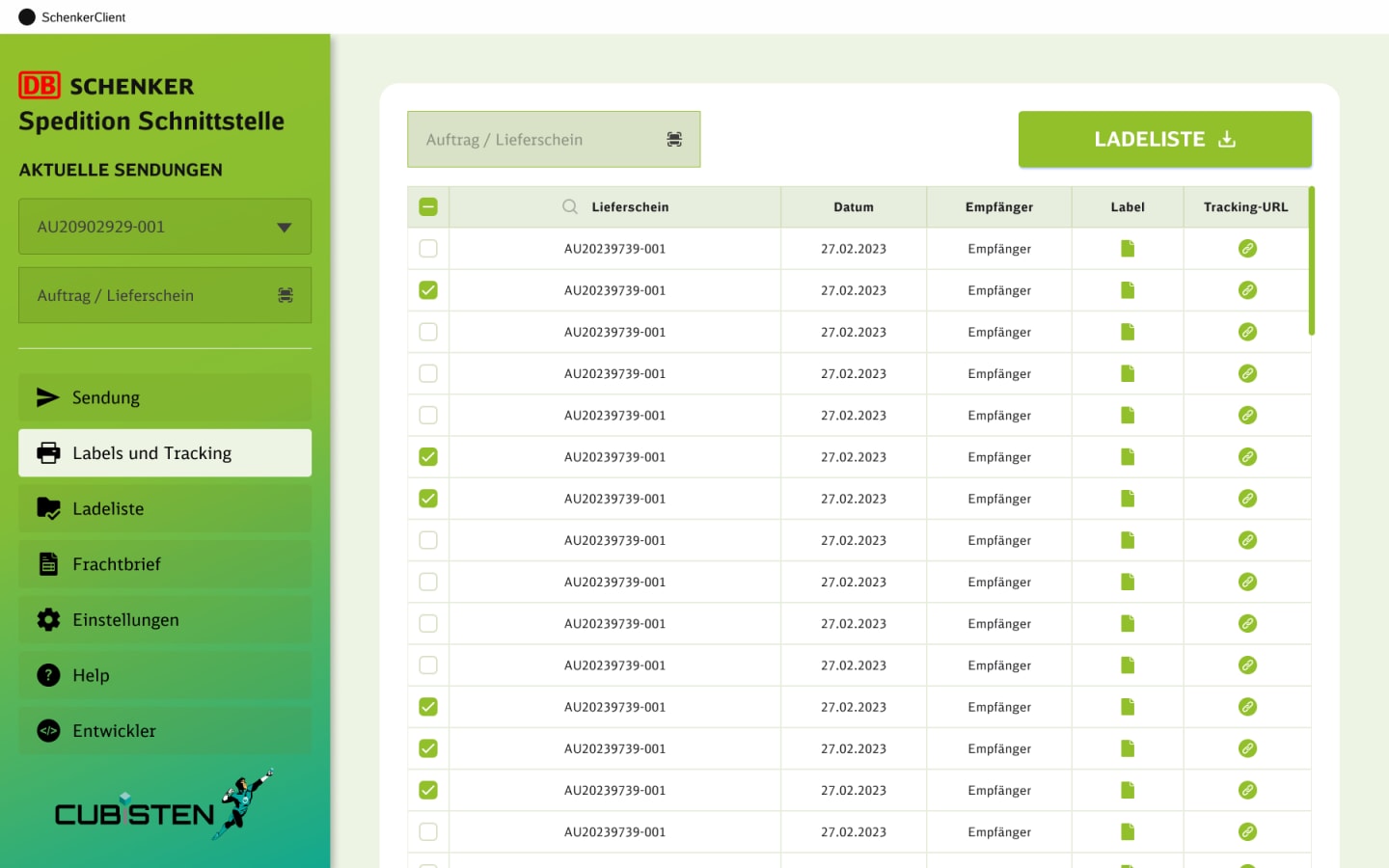
Label generation and tracking URL management with tabular shipment list view
Label Generation · Tracking URLs · Shipment List
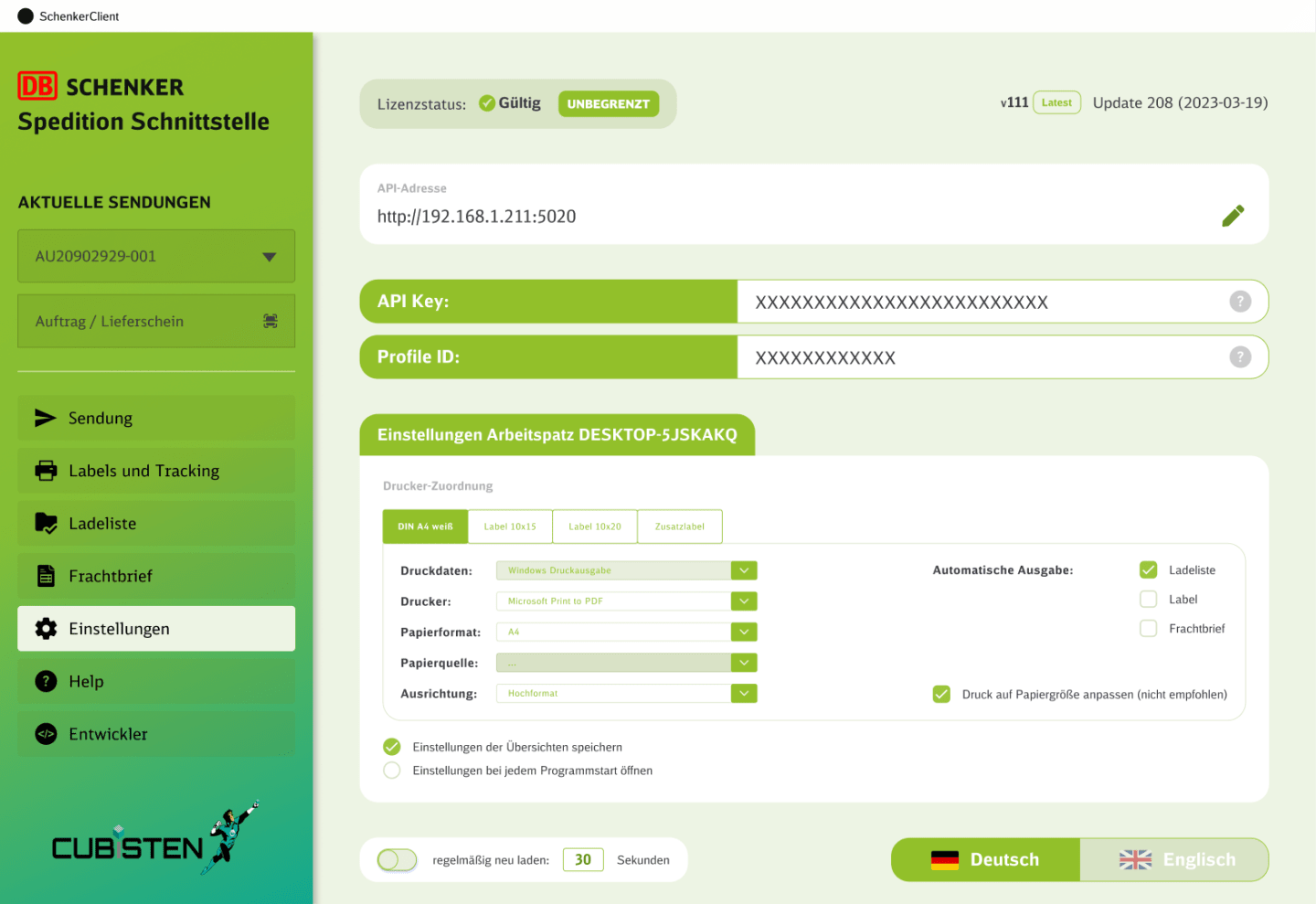
Workstation settings with printer configuration, API setup, and license management
Printer Config · API Setup · License
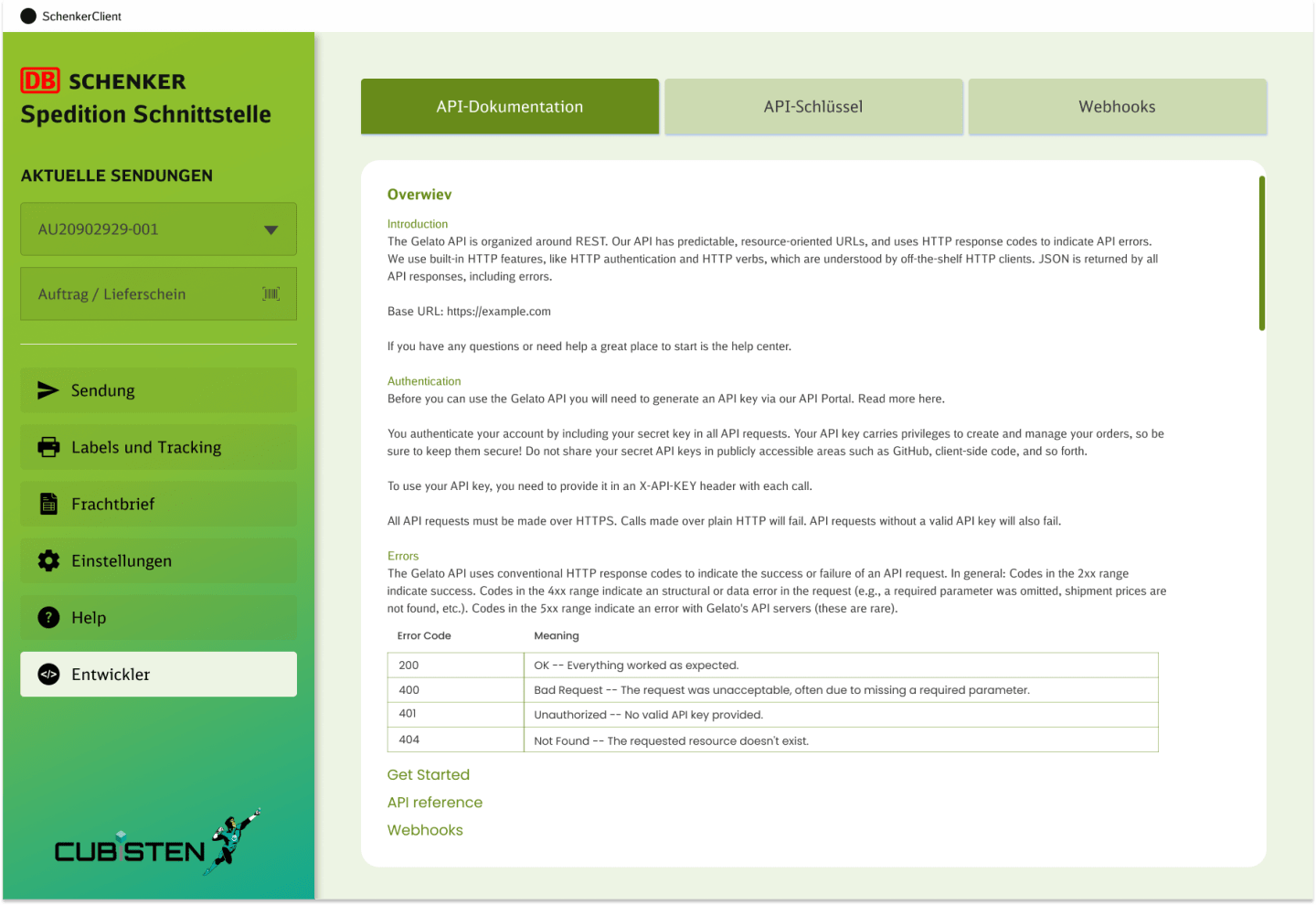
API key management with webhook configuration for developer integration
API Keys · Webhooks · Integration
06Document workflows
Labels, packing lists, and waybills rely on structured table views that support quick review, editing, downloading, and deletion. Consistency across these modules helps the system feel more stable.
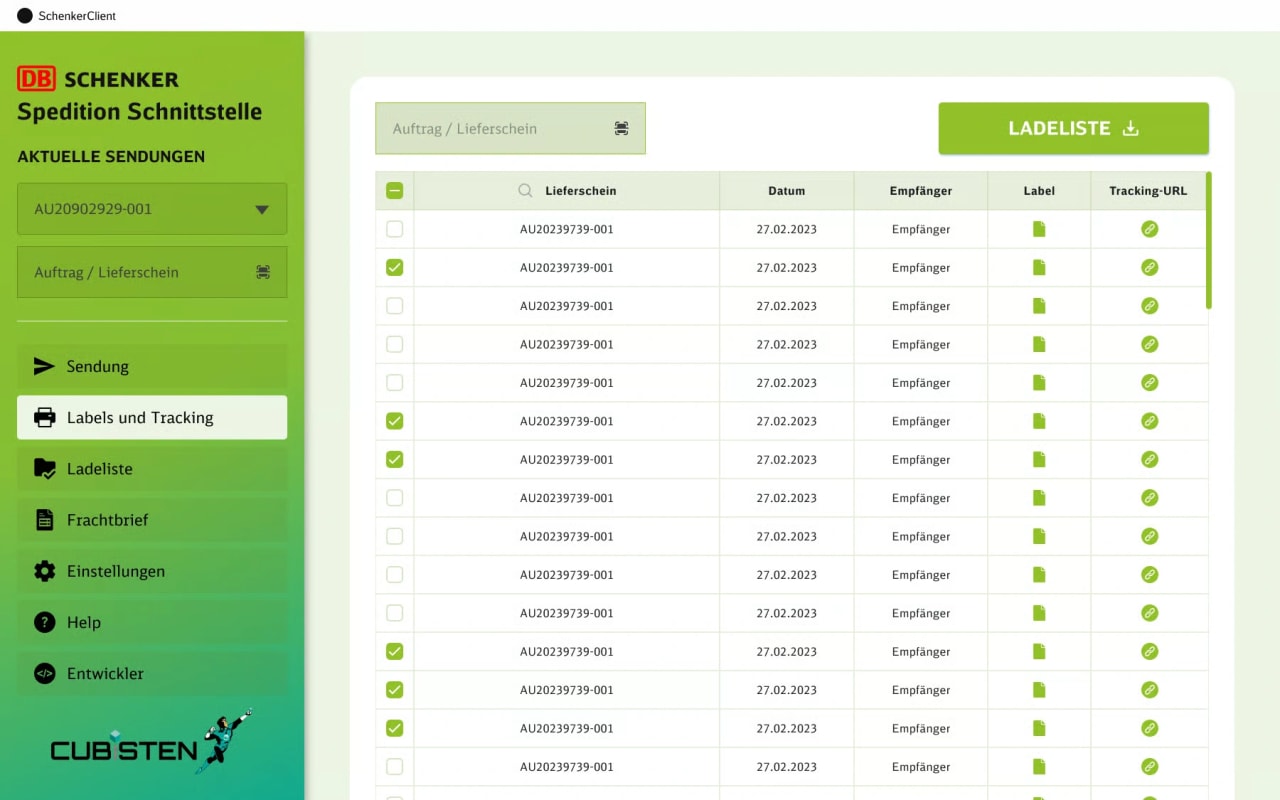
Shipment list with checkboxes, tracking URLs, label generation, and bulk export functionality.
Document management table with name, sender, date, download status, edit and delete controls.
Waybill management with the same consistent table structure, quick review, download, and edit.
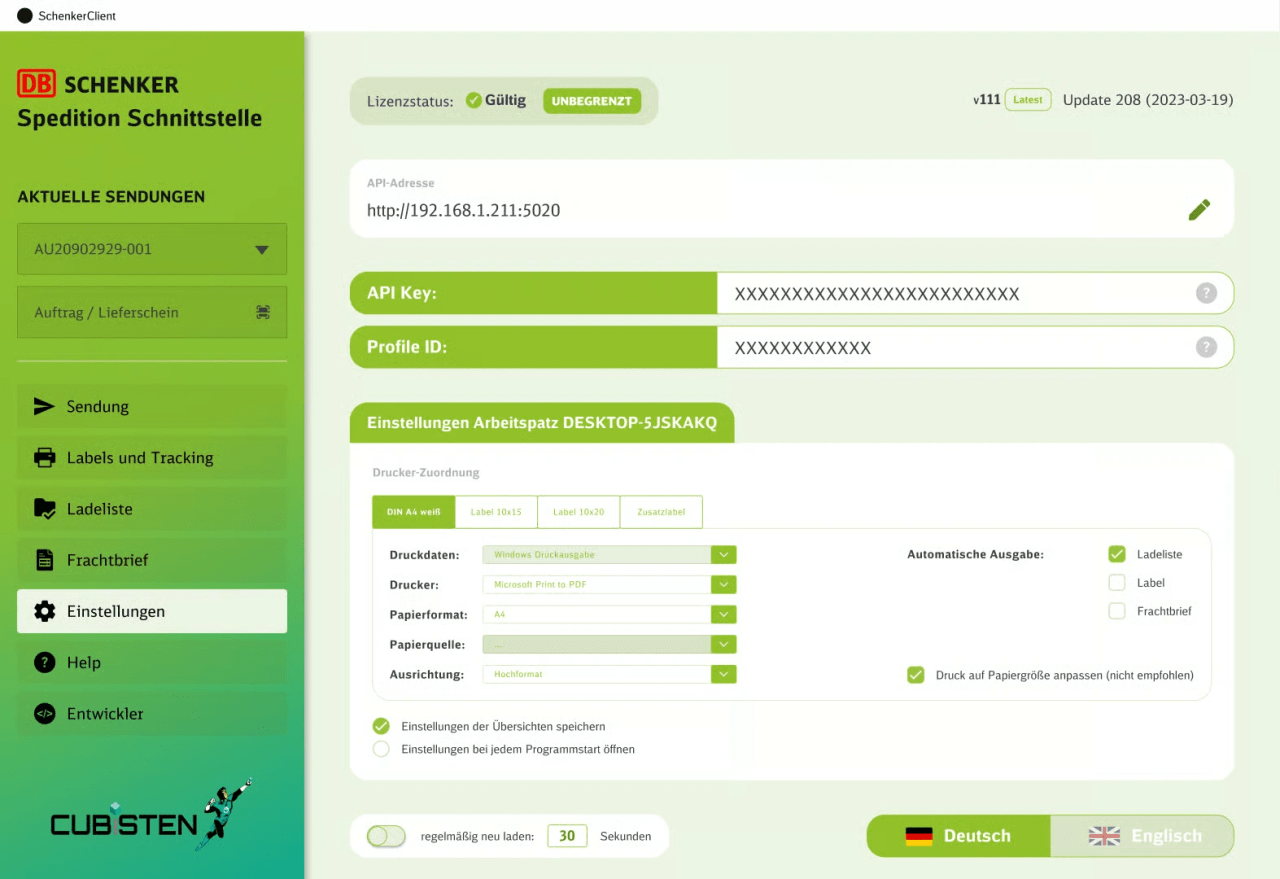
Workstation and printer configuration, API key management, and license status display.
07Design approach
The interface is built around clarity and operational speed. Its strength comes from structure, not excess.
08Outcome
By breaking complex workflows into focused modules and step-based screens, the platform becomes easier to navigate, easier to complete, and more useful in real working conditions.